AutoCodes Tech
- 4.1
- Rating
- 10.00K
- Installs
- Free
- Price

 Analysis by App-foxy
When a dashboard warning appears, most drivers want two things immediately: a plain explanation and a sensible next step. AutoCodes Tech is built around that moment. Developed by AutoCodes.com, this free Auto & Vehicles app combines OBDII troubleshooting with an AI chat tool aimed at mechanics and people who prefer to investigate car problems themselves. I found its appeal easy to understand: it tries to turn a fault-code lookup into a conversation rather than leaving you alone with a cryptic abbreviation.
The app is available for Everyone and supports devices running Android 7.0 or later. Its current version is 2.5.3, and it has passed the early curiosity stage with over ten thousand installs. That does not make it a replacement for a workshop scanner, but it does show that the idea is practical for drivers who want a more approachable starting point. My overall impression is that it works best as a reasoning aid between the warning light and a proper repair decision.
How AutoCodes Tech feels in everyday use
The most useful way to approach this app is not as a magic diagnosis button. I see it as a second pair of eyes for OBDII information. A code by itself can identify a monitored system, but it rarely proves which component has failed. AutoCodes Tech is more helpful when you bring it context: the vehicle symptoms, when the warning appeared, whether the engine runs roughly, and what work was recently done.
You May Also Like

 Google Keep - Notes and lists
Google Keep’s Quiet Growth Shows the Appeal of Simpler Notes
As mobile work gets busier, Google Keep keeps winning a simple contest: capture a thought quickly, find it later, and get on with the day.

 Blood Strike: 2.5 Anniversary
Blood Strike’s Loadouts Turn Every Drop Into a Tactical Gamble
A close look at Blood Strike’s custom loadouts: how fast access to signature weapons reshapes its battle royale rhythm, rewards preparation, and narrows the gap between fights.

 Pandora - Music & Podcasts
Pandora’s Music Is Easy to Start, but Harder to Recover
Pandora’s strength is its low-effort path from a seed to a station. Its weak spot is how much confidence it asks you to place in connection, setup, and quiet recovery.

 8 Ball Pool
8 Ball Pool Is Built on Rivalries, Rematches, and Routine
A close look at the rivalries, rematches, shared routines, and unanswered safety questions that turn a quick pool match into a persistent mobile community.

 Samsung Music
Samsung Music’s Quiet Strength Is Playing What You Already Own
Its reach comes less from spectacle than from dependable access to a personal library. That simplicity is both the app’s strongest retention engine and its ceiling.

 AccuWeather: Weather Radar
AccuWeather Review: A Quick, Clear Forecast for Everyday Decisions
For everyday plans, the best forecast is the one you can understand quickly. AccuWeather makes rain timing, radar, and local conditions easy to act on, with a few trade-offs.
More From Our News Desk



That distinction matters because the same diagnostic code can have several possible causes. A weak connection, damaged wiring, a sensor problem, an air leak, or a genuine mechanical fault may lead to similar electronic symptoms. The chat element gives you a place to organize those possibilities in ordinary language. Instead of searching several pages and trying to decide which one applies, you can describe what happened and ask what should be checked first.
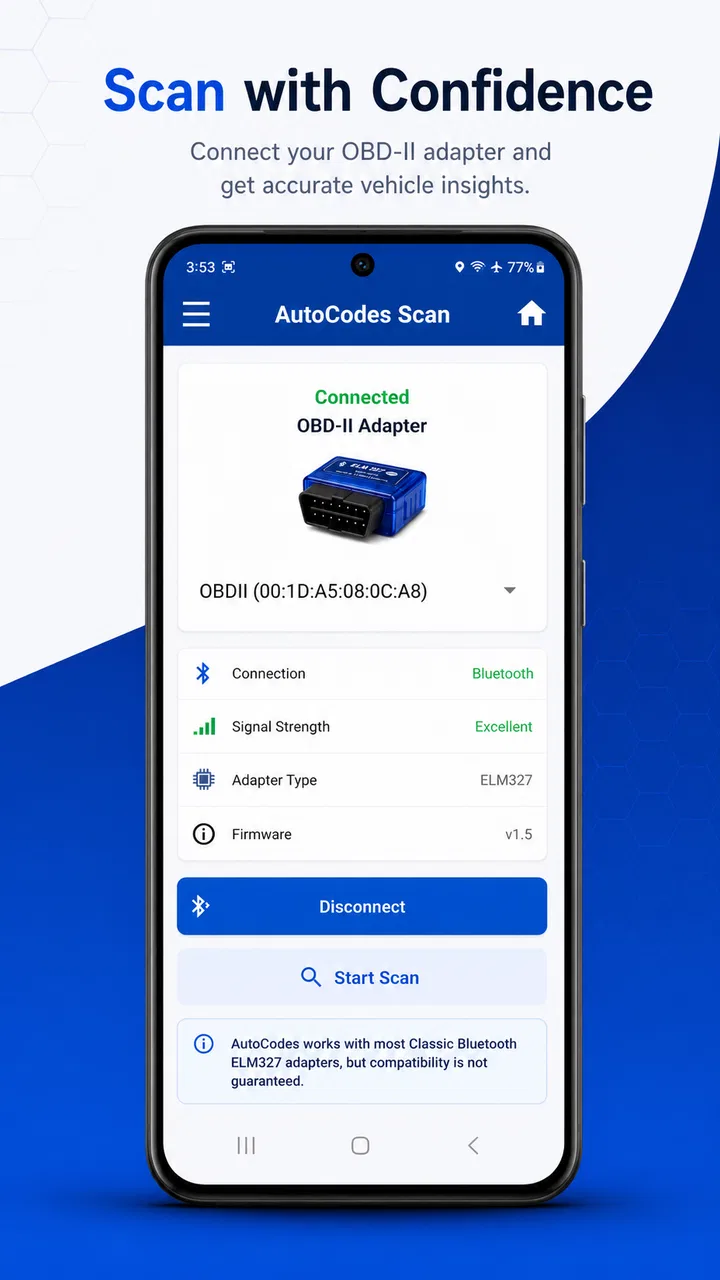
I would use it after reading a code from an OBDII reader, not before. The app is not a substitute for the reader itself, and it cannot turn a phone into a complete workshop diagnostic system simply by opening the chat. Once you have the code, however, the conversation can help you avoid the common mistake of buying the first part associated with that code.
A realistic example would be a car that develops a warning light on the way home but still drives normally. I would record the code, note the mileage and conditions, then tell the app whether the light is steady or flashing, whether fuel use has changed, and whether the engine feels different. That information makes the response more useful than entering a bare code with no background. I would then treat the suggestions as a checklist for inspection, not as permission to keep driving indefinitely.
The current experience is strongest as a guided explanation
What separates this app from a traditional code dictionary is the attempt to connect individual facts. A static lookup may tell you what a code means, while a conversational tool can help compare symptoms and decide which checks are sensible in sequence. That is particularly helpful for a beginner who does not yet know the difference between a stored code, an active fault, and a symptom that merely happens to appear at the same time.
For an experienced mechanic, the value is different. The app can be used to frame a quick diagnostic plan, explain a technical possibility to a customer, or generate questions before testing. It is less likely to replace professional knowledge, but it may reduce the time spent translating technical information into a simple explanation.
I also like the possibility of using the conversation as a record of your thinking. If you ask one question, receive a suggestion, and then add the results of a visual inspection or voltage test, the discussion can become more useful than repeatedly searching the same code. The important habit is to feed it observations rather than accepting the first answer as final.
What the version and release history tell me
AutoCodes Tech was released on January 30, 2025, and the current version is 2.5.3. Those details place it in an early but actively shaped phase of its life. I would not read the version number as proof that every vehicle or unusual fault is covered perfectly. I would read it as a sign that the product is being refined rather than left as a one-time reference tool.
For existing users, a move through several minor revisions can matter even when the app looks familiar. Small changes may affect how questions are interpreted, how responses are presented, or how smoothly a troubleshooting session continues. Since the main benefit depends on a clear exchange between the driver and the tool, usability improvements can be just as important as adding more code explanations.
The sensible way to judge an update is by its effect on your workflow. Can you enter a code quickly? Can you add symptoms without losing the original context? Does the answer distinguish a likely cause from a confirmation test? Those are more meaningful questions than simply seeing a newer version label. I would also avoid assuming that an update turns general guidance into manufacturer-level diagnostics.
Who gets the most from it
AutoCodes Tech is a good fit for a DIY owner who already has, or plans to use, a basic OBDII reader and wants help interpreting the result. It is also suitable for someone who is comfortable checking obvious items such as connectors, hoses, battery condition, fluid levels, or visible damage before deciding whether to book a repair.
It can be useful for a learner who wants to understand diagnostic language without opening a dense service manual every time. The conversational format lowers the barrier to asking simple questions, including questions that might feel too basic in a workshop. That makes the app more approachable than a reference page that assumes you already understand every abbreviation.
Mechanics may find it handy for quick explanations and preliminary thinking, especially when a customer describes a problem in everyday terms. I would still verify any important conclusion with the vehicle’s service information and proper test equipment. The app’s role is to support judgement, not replace it.
There is also a useful middle ground for families with an older vehicle. One person can scan the car, another can use the app to understand the code, and together they can decide whether the issue looks suitable for a basic inspection or needs immediate professional attention. That can prevent unnecessary panic while still encouraging caution.
Where it does not fit as well
I would skip this app if you expect a complete workshop platform with live data analysis, bidirectional controls, module coding, service resets, or a guaranteed component-level diagnosis. Those jobs require hardware, vehicle-specific information, and testing that a chat-based troubleshooter cannot provide on its own.
It is also not the right first tool for a serious safety problem. Brake faults, steering problems, overheating, fuel leaks, smoke, and a flashing warning light deserve careful attention and, when appropriate, professional assistance. A written explanation can be useful, but it should never encourage someone to continue driving when the vehicle may be unsafe.
Drivers who dislike typing details may find the experience less satisfying. The quality of a troubleshooting conversation depends heavily on the information supplied. A short code with no symptoms may produce a broad answer, while a careful description can lead to a much more practical sequence of checks. That is not a flaw unique to this app, but it is an important trade-off compared with a simple search box.
Three habits that make the tool more useful
First, keep the original code exactly as the scanner reports it, including any letter or number prefix. Do not paraphrase it from memory. Then add the conditions under which it appeared. Was the engine cold, fully warm, under load, or idling? This small detail can change which possibilities deserve attention.
Second, ask for a testing order rather than asking only what part to replace. A useful question is, “What should I check before buying anything?” That encourages a diagnostic process involving inspection and confirmation. It also protects your budget, because replacing a sensor does not fix a wiring fault, a vacuum leak, or a power-supply problem.
Third, separate facts from guesses when continuing the chat. Write “the connector is clean” only after looking at it, and label an assumption as an assumption. If you later discover that the battery was weak or the code returned after clearing, add that information. This makes the discussion more precise and helps prevent one early guess from controlling the entire diagnosis.
A fourth habit is worth adding: save the results of any check outside the conversation as well. Note the code, visible symptoms, and tests performed. If you eventually visit a mechanic, that short record can make the handover clearer. It also helps you notice whether the same fault returns after a repair.
Comparing it with the usual alternatives
The most obvious alternative is a normal web search. Searching is often faster for a familiar code and can expose repair manuals, owner discussions, and videos. The weakness is that the results may mix different engines, model years, and levels of accuracy. AutoCodes Tech has an advantage when you want to ask follow-up questions in one place and connect the code with your specific description.
A dedicated manufacturer diagnostic system is more appropriate when the problem involves brand-specific modules, detailed live values, calibration, or advanced service procedures. That equipment costs more and demands more knowledge, but it can access information a general-purpose troubleshooter cannot. I would choose the manufacturer route for complex faults and use this app earlier in the investigation.
A local repair shop remains the better alternative when the vehicle is unsafe, the problem is intermittent and difficult to reproduce, or the suggested checks require specialist tools. AutoCodes Tech may help you describe the issue more clearly before the appointment, but it should not be used to delay necessary repairs.
Compared with a basic code glossary, the app’s main advantage is conversation. Compared with professional diagnostic equipment, its advantage is accessibility. Its position is between those two options, and that middle position explains both its usefulness and its limits.
Costs, access, and the practical trade-off
The app itself is free to download, while in-app purchases range from $0.99 to $4.99 per item. I would think about that structure before beginning a long troubleshooting session. A casual user may be happy with the free experience, while someone who expects repeated guidance should check which parts of the workflow require an additional purchase before relying on it for a project.
The free price makes experimentation easy, especially for a driver who has just bought an inexpensive scanner and wants to understand its output. At the same time, the presence of paid items means the app should be judged by the usefulness of the complete workflow, not just by the fact that installation costs nothing. I prefer to know what I can accomplish without payment before planning a repair around it.
The Everyone age rating also fits the app’s general audience: curious owners, learners, and experienced users can all approach it. That broad accessibility should not be confused with universal suitability for every technical problem. A simple interface can welcome a beginner, but the vehicle itself may still demand specialist knowledge.
What I would watch as the product develops
Future progress should be judged by how well the app handles uncertainty. The most valuable improvements would be clearer separation between a code definition, possible causes, recommended checks, and situations requiring immediate professional help. That structure would make the advice easier to act on without making it sound more certain than it really is.
I would also watch how well it preserves context during a longer conversation. Troubleshooting rarely ends after one question. A driver may add that the code returned, that a connector was inspected, or that the symptom appears only in rain. The ability to keep those details organized would have a direct effect on the app’s usefulness.
Another important area is vehicle specificity. General OBDII explanations are a helpful starting point, but model, engine, and system differences matter. I would be cautious with any answer that sounds identical for every vehicle, particularly when it recommends replacing a part without a confirmation test.
Finally, I would watch whether the app continues to serve both sides of its audience. Beginners need plain language and safe next steps. Mechanics need concise, technically sensible prompts that do not waste time. Balancing those needs will determine whether AutoCodes Tech remains a friendly lookup tool or grows into a more dependable part of a DIY diagnostic routine.
My recommendation
After looking at where it fits, I recommend AutoCodes Tech to drivers who want help making sense of an OBDII code before spending money on parts or booking a repair. Its best quality is not that it promises certainty; it is that it encourages a more organized conversation about symptoms, possible causes, and sensible checks.
I would use it alongside a scanner, basic safety awareness, and reliable vehicle-specific repair information. I would not use it as the only authority for a dangerous fault, a complicated electronic issue, or a repair that requires specialist equipment. That balanced approach gives the app room to be genuinely helpful without asking it to do a job it was never designed to do.
With an average rating of 4.1 from over forty ratings and five written reviews, it has made a positive early impression while still being a relatively young product. My view is similar: this is a promising, practical companion for DIY troubleshooting, especially when you ask focused questions and verify its suggestions. If you want a friendly bridge between a warning light and a better-informed repair decision, AutoCodes Tech is worth trying. If you need guaranteed diagnosis or advanced vehicle control, choose professional equipment or a qualified mechanic instead.
FAQs for AutoCodes Tech
01What is AutoCodes Tech used for?
AutoCodes Tech is designed to help users access automotive information and tools related to vehicle codes, diagnostics, or technical references, depending on the features available in the current version. Before downloading, review the app description carefully because supported vehicle brands, code categories, and available functions may vary. It is best considered a support tool rather than a replacement for professional mechanical diagnosis.
02Is AutoCodes Tech compatible with my Android or iOS device?
Compatibility depends on the operating system, device model, and the version of AutoCodes Tech available through the official store. Check the app’s download page for minimum Android or iOS requirements before installing. Some functions may also require a stable internet connection, sufficient storage, or specific permissions. Older phones and tablets may not support every feature or may provide a less responsive experience.
03Does AutoCodes Tech provide complete and reliable vehicle diagnostic information?
AutoCodes Tech can be useful for consulting automotive codes and technical details, but the accuracy and coverage may depend on the vehicle manufacturer, model year, region, and database included in the app. Users should verify important information with the vehicle’s service manual or a qualified technician. Diagnostic codes identify possible system problems; they do not always confirm the exact failed component.
04Is AutoCodes Tech free to download, and does it include in-app purchases?
The download price and available payment options may differ between Android and iOS, and the developer can change them over time. Some versions may offer core information for free while reserving advanced content, advertising removal, expanded databases, or additional tools for a purchase or subscription. Always check the official store listing for the current price, trial conditions, and renewal details.
05What permissions and internet access does AutoCodes Tech require?
AutoCodes Tech may request permissions needed to deliver its features, such as network access for loading databases, updates, or online content. Permission requirements can change between releases, so review them on the official app store before installation. If the application requests access that seems unrelated to its purpose, consider denying it and checking the privacy policy to understand how diagnostic searches and personal data are handled.
Pros
- Quick access to automotive diagnostic codes and technical references.
- Useful for mechanics
- technicians
- and DIY vehicle troubleshooting.
- Organizes information in a practical format for on-the-go consultation.
- Can help narrow down possible causes before professional repairs.
- Saves time compared with searching through scattered online resources.
Cons
- Coverage may vary depending on the vehicle make
- model
- and year.
- Some codes may require additional manufacturer-specific explanations.
- Technical information can be difficult for inexperienced users to interpret.
- The app’s usefulness depends on regularly updated automotive databases.
- It should not replace professional diagnostics or manufacturer service manuals.

AutoCodes Tech
Gallery